
Logo Design
How to Create a Logo Design Portfolio in 2026
Published on Jan 27, 2026
Creating a standout logo design portfolio is crucial for showcasing your skills and attracting potential clients.
In this article, we review five examples of great logo design portfolios that I found by browsing Behance.
These portfolio examples can provide some tips and techniques to elevate your own portfolio.
PS. Also check out my YT video of this topic.
1. Alex Aperios
aperios-design.co.uk
Highlights:
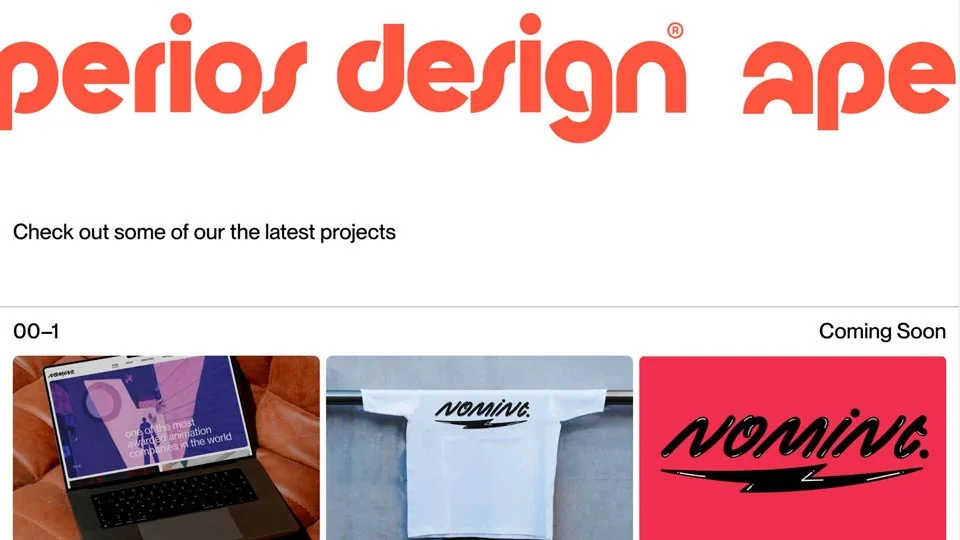
- Informative Header: Alex's portfolio opens with a few concise sentences about his studio and the services he offers, right in the header before the fold. This immediately informs visitors about his expertise and what they can expect.
- Minimalist Typography: The text is set in a minimalist, Swiss-style font, which enhances readability and aligns with the clean design aesthetic.
- Distinct Branding: Alex uses a distinct color palette for his branding, with orange for text and a cream color for the background. This unique combination makes his portfolio visually striking.
- Prominent Logo: His logo is prominently displayed front and center before the fold, making a strong initial impression.
- Strategic CTA Placement: Instead of placing the logo in the usual top left corner, Alex opts for a simple CTA, "Hire us," which is strategically placed to encourage engagement.
- Dynamic Thumbnails: Upon scrolling, users encounter a series of thumbnails showcasing his logo design case studies. The thumbnails feature a cool effect on mouse hover, where the corners become more rounded.
- Varied Thumbnail Sizes: The thumbnails are of different sizes—some square, some vertical rectangles, and some horizontal rectangles. This variety, combined with spaced-out placement, creates an interesting and engaging layout.
- Comprehensive Navigation: There's a link to view "all projects," followed by additional sections that offer more depth.
- Clear Value Proposition: A clear value proposition is presented: “Elevating brands and businesses with design solutions that transcend the ordinary.”
- Detailed Studio Information: Further down, Alex provides more information about his design studio, the services he offers, and his contact information, all clearly visible.
- Stylish Footer: The site wraps up with a trendy, large logo in the footer, which is a popular design trend.
2. Agnieszka Grabowicz
noneisthenumber.com
Highlights:
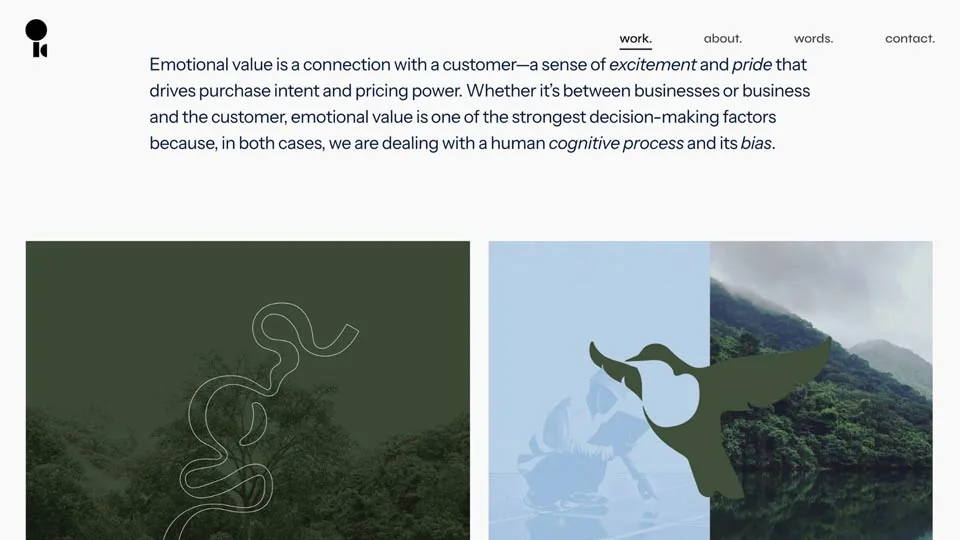
- Benefit Statement: On the homepage, Agnieszka starts with a clear benefit statement: "making brands work better," immediately communicating the value she offers.
- Client Reassurance: Followed by "creative partner for powerful brands," which reassures clients that they are in the right place for impactful branding.
- Engaging Showreel: A short video showreel of her work, complete with background music, adds a dynamic and engaging element to the portfolio, giving visitors a quick overview of her capabilities.
- 3-Step Process: Agnieszka outlines her process in a simple and clear way: 1) call or meeting, 2) weekly sprints, 3) deliverables.
- Case Studies Layout: The case studies fill the whole screen, with a split layout alternating between a thumbnail on the left and text on the right, and then text on the left and image on the right. This alternating layout keeps the viewer engaged and interested.
- Comprehensive Navigation: A link to "see all" projects provides easy access to her full portfolio.
- Client Testimonials: The portfolio includes a section for client testimonials under "in clients' words," which adds credibility and reinforces her expertise.
3. Norman Dubois
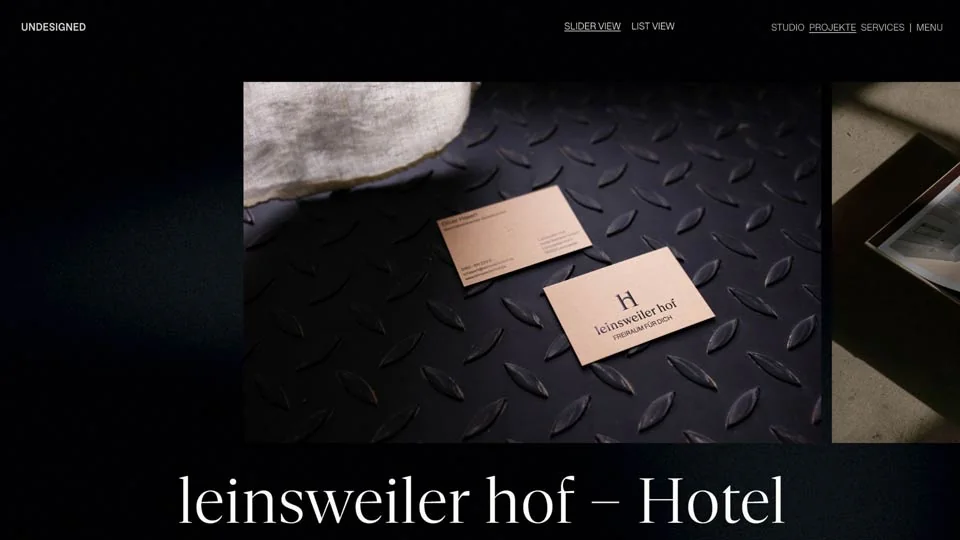
undesigned.studio/projects
Highlights:
- Minimalist Aesthetic: Norman Dubois' portfolio is a very minimalist, black-and-white design that stands out for its unusual layout, with all elements positioned in the corners of the screen.
- Clear Headline: The homepage features a clear headline, "unique brand experiences for the ambitious," which immediately communicates the studio's focus and target audience.
- Studio Information: Scrolling down, visitors find more information about the studio, including who they work with, their origin, and a link to their services.
- Horizontal Portfolio Display: The portfolio section presents case studies in a horizontal slider format. Each piece of work is displayed horizontally with the project name in large text below, allowing users to click either the thumbnail or the project name to see more details.
- Engaging Case Studies: Each case study begins with a clear headline, such as "visual identity for the base architecture firm." Scrolling further reveals realistic mockups and detailed images of the project, including business cards, bags, billboards, and websites.
- Detailed Project Information: Each project includes comprehensive information about the design process and the services provided, supported by high-quality visuals.
- Minimalist Footer: The site ends with a very minimalist footer. When hovering over the footer, users can see the next project, enhancing navigation and engagement.
4. Guilherme Vissotto
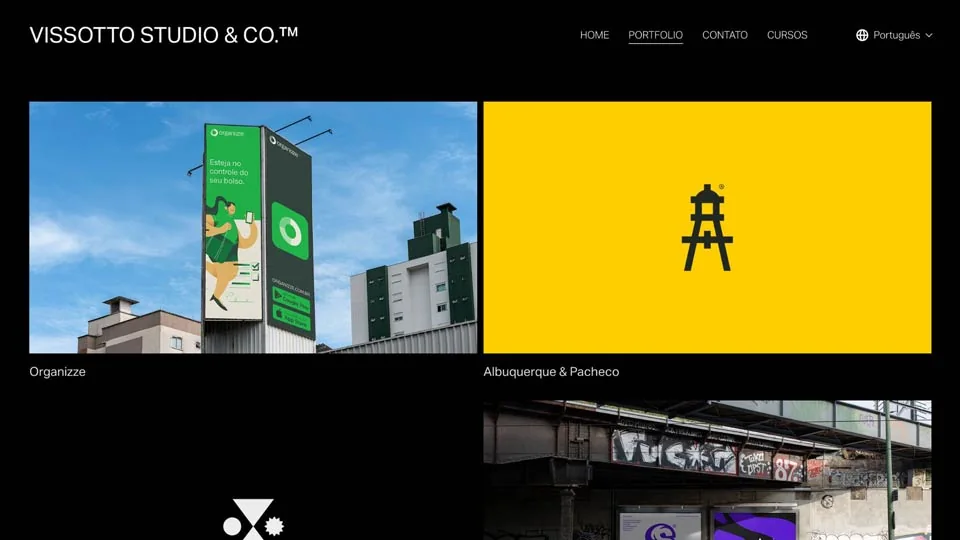
vissottostudio.com
Highlights:
- 3D Animation: The homepage features a striking 3D animation with a clear statement that they design everything but specialize in branding, immediately capturing visitors' attention.
- Simple Thumbnails: Following the animation, there are simple thumbnails arranged in a grid of two columns, showcasing four of their best works. This minimalist presentation is both clean and effective.
- Minimalist Footer: The portfolio concludes with a minimalist footer, maintaining the clean aesthetic throughout the site.
- Service Listing: A useful element is the service list, accessible by clicking on the projects, which details the services provided.
- Detailed Project Pages: Clicking on a project reveals large images of the work, along with information about the company and what was done for them. This includes before-and-after logos, different color versions, and real-life applications such as billboards and social media graphics.
- Versatile Applications: The portfolio highlights versatile applications of logos and designs, including illustrations, icons, book covers, and more, demonstrating the breadth of their work.
5. Denis Lomov
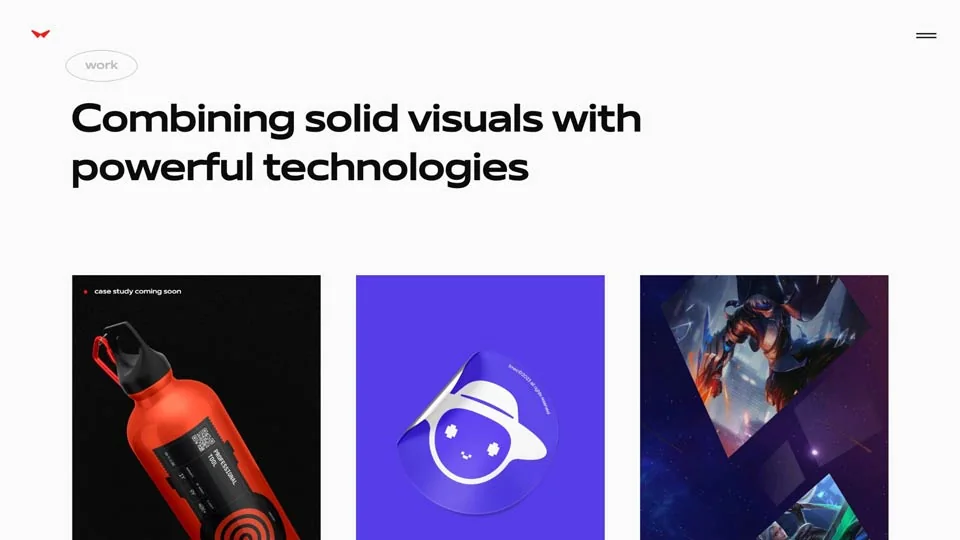
redcollar.co
Highlights:
- Award Showcase: Denis Lomov's portfolio prominently features all his awards on the right side, clearly showing potential clients that they are dealing with a renowned design agency.
- Benefit Statement: The homepage has a benefit statement, "creating products with a human face," setting the tone for the agency's approach to design.
- Showreel Navigation: The portfolio includes a showreel of their work, accompanied by a video for a more engaging navigation experience.
- Client-First Approach: Instead of listing their work by project titles, they list clients in a large font. Clicking on a client name reveals the associated work, starting with a large image followed by detailed project information.
- Comprehensive Project Pages: Each project page starts with a big header image, followed by a description of the client, their industry, the year, and the deliverables provided. Further down, there are more images and detailed information about what was done.
- Lengthy, Detailed Pages: The project pages are quite long, offering a comprehensive view of each design project, which gives an impression of thorough and extensive design work.
- Direct Contact Form: The footer includes a contact form where clients can leave their phone number and email to directly reach out, facilitating easy communication.
Conclusion
Reviewing these top-notch logo design portfolios reveals several key techniques and tips that can help you create a compelling and effective portfolio:
Embrace Minimalism
A clean, minimalist design helps keep the focus on your work. Utilize white space and avoid clutter to create a professional and polished look.
Detail Your Process
Providing a detailed breakdown of each project can give potential clients insight into your design process and problem-solving skills. This transparency builds trust and showcases your expertise.
Use High-Quality Images
Ensure your portfolio includes high-resolution images of your work. This allows potential clients to see the fine details and quality of your designs.
Include Testimonials
Adding client testimonials can enhance your credibility and provide social proof of your abilities. Highlight positive feedback to reinforce your reputation.
Maintain Consistent Branding
Use consistent fonts, colors, and layouts to create a cohesive and professional brand identity. This helps create a memorable impression.
Engage with Multimedia
Incorporating elements like videos or animations can make your portfolio more dynamic and engaging.
Showcase Versatility
Highlighting a range of applications for your designs, from logos to social media graphics, demonstrates your versatility and breadth of skills.
By incorporating these techniques into your portfolio, you can effectively showcase your skills and attract potential clients.
Whether you're a seasoned designer or just starting, these examples provide some inspiration for creating a standout portfolio.
Ps. Also check out my own portfolio.
Need help with branding?
Are you looking to hire a logo designer?
Check out my portfolio and schedule a call to discuss your project.
Ready to build a brand people remember?
Tell me what you’re launching, changing, or trying to make look better.