
Logo Design
How to Write a Logo Design Brief in 2026 (+ Template)
Published on Jan 27, 2026
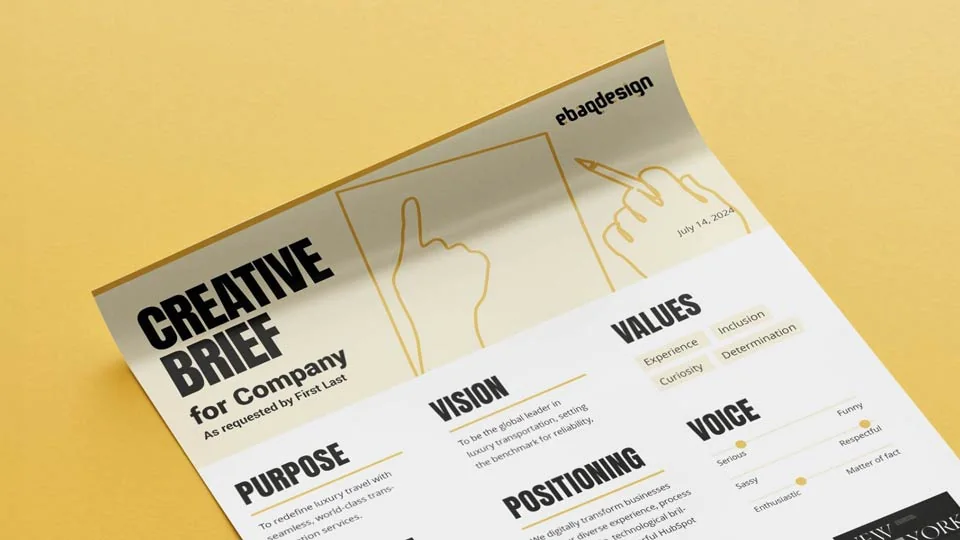
In the world of logo design, clear communication with clients is paramount.
This article introduces a powerful tool for designers: a one-page creative brief template that can revolutionize your logo design process.
PS. You can also watch my YouTube video where I introduce my template.
Let's explore how this template works and how it can enhance your client interactions and design workflow.
The Power of a Concise Brief
The one-page logo design brief template, created in Adobe InDesign, is designed to:
- Incorporate essential brand strategy elements
- Include a visual moodboard
- Gain client approval on strategic direction and visual inspiration
- Engage clients early in the design process
- Minimize unnecessary revisions later in the project
By using this template, you involve your client from the outset, ensuring alignment before diving into logo concepts.
My Fully Customizable Logo Brief Template
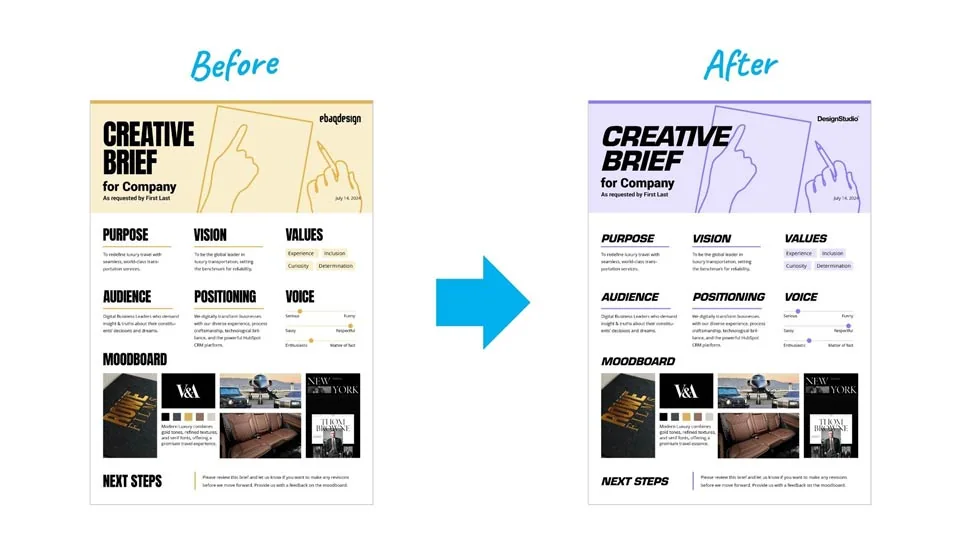
This fully customizable template allows you to maintain a professional image while tailoring it to your brand:
Personalization Options
- Modify color schemes to match your brand
- Change fonts to align with your typography preferences
- Replace the template logo with your own
Cloud Publishing
One of the template's most powerful features is the ability to publish to the cloud. This allows you to:
- Send clients a single link to the PDF
- Make real-time updates based on client feedback
- Eliminate the need for back-and-forth PDF exchanges
How To Write A Logo Brief Fast
Here's a step-by-step guide to using the template efficiently:
1. Gather Information
Collect details about the client's business. This can be done through:
Conducting a brand strategy workshop (ideal for larger projects).
Having the client complete a questionnaire.
Reviewing client-provided research materials.
2. Develop Strategic Elements
For smaller projects, use tools like ChatGPT or a custom Branding GPT to brainstorm strategic elements.
Refine and customize the AI-generated content to fit your client's unique needs.
3. Create the Moodboard
Ask your client for initial moodboard ideas
Source inspiration from platforms like Pinterest, Google Images, Behance, and Dribbble.
Compile a visually cohesive moodboard that aligns with the client's vision.
4. Finalize and Share
Publish the completed brief to the cloud.
Double-check all elements for accuracy and professionalism.
Send the link to your client for approval.
Benefits of Using a Templated Approach
Implementing this one-page logo design brief template offers several advantages:
- Professionalism: Presents your design business in a polished, organized manner
- Efficiency: Streamlines the briefing process, saving time for both you and your client
- Clarity: Ensures all parties are aligned on project goals and visual direction
- Flexibility: Easily adaptable for various client needs and project sizes
- Reduced Revisions: By involving the client early, you minimize major changes later in the design process
Additional Resources
To further enhance your design business, consider exploring these complementary templates:
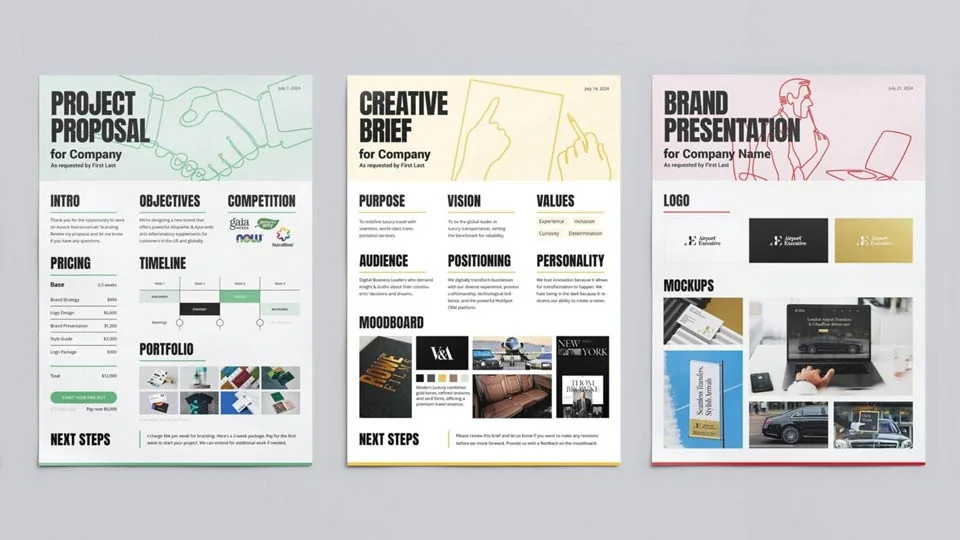
Logo Proposal Template
When your client reaches out to discuss a new logo design project, they'll often ask for a quote.
With the logo proposal template you can streamline your process and ensure that you make your design business look good.
Logo Presentation Template
Finally, when it's time to showcase your work, you can use the logo presentation template to make the whole process look professionally.
BTW. For larger clients and more complex projects, you can use my full multi-page landscape templates.
Conclusion
The one-page logo design brief template is more than just a document—it's a powerful tool that can transform your design process.
By streamlining communication, aligning expectations early, and presenting a professional image, you set the stage for successful logo design projects.
Whether you choose to purchase a pre-made template or create your own, incorporating this approach into your workflow can significantly enhance your efficiency and client relationships.
Ready to build a brand people remember?
Tell me what you’re launching, changing, or trying to make look better.