
Logo Design
How To Create Logo Mockups in ChatGPT in 2026
Published on Jan 27, 2026
Creating realistic logo mockups used to be a time-consuming and often expensive task.
You had to purchase templates, open up Photoshop, and spend time tweaking layers to make everything look just right.
Now, you can do everything directly inside ChatGPT 4o without leaving your browser and without any Photoshop skills.
All you ave to do, is just attached an example of a mockup you want to create along with black and white PNG of your logo.
Table of Contents
- ChatGPT 4o image generation
- How to create mockups in ChatGPT
- The 6 logo mockup styles I created
- Step-by-step: How to prompt ChatGPT 4o
- Pro tips for better mockups
- Benefits of using ChatGPT 4o
- Final thoughts
1. ChatGPT 4o image generation
With the new image generation capability in ChatGPT 4o, now you can create realistic mockups within seconds.
You no longer need to buy expensive mockup templates or pay for software like Adobe CC.
This approach saves both your time and money—because you can test different visual styles rapidly with just a simple prompt.
It keeps your creative process fast, flexible, and completely in your control.
2. How to create mockups in ChatGPT
ChatGPT 4o comes with built-in vision capabilities that can interpret images.
That means it can analyze and understand the content of the images you upload.
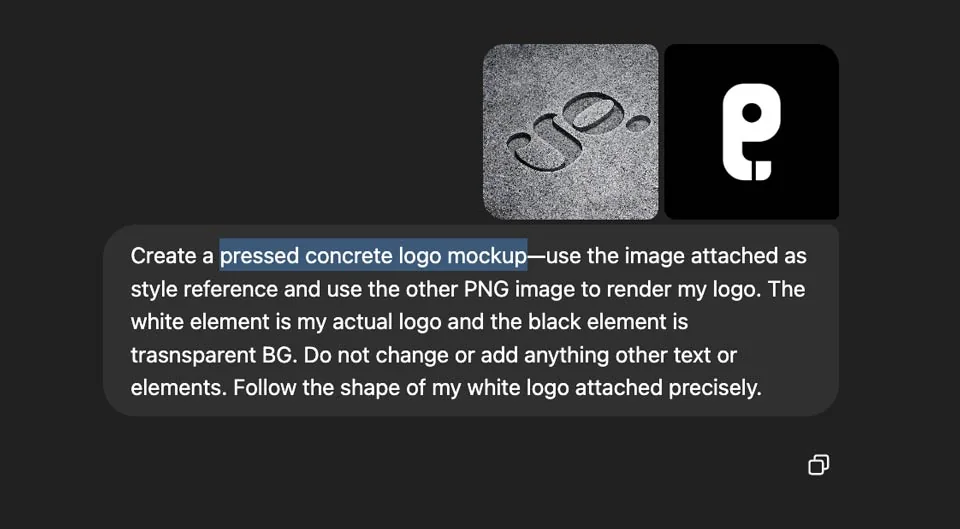
All you need to do is upload a reference image that shows the desired mockup style you want to recreate.
Then you also need your logo in black and white, preferably saved as PNG file.
Then, write a prompt describing how you want the logo to appear in that scene.
ChatGPT will intelligently render your logo into the setting in a realistic way.
You can even ask for specific enhancements like lighting, depth, shadows, or perspective angles.
It's like working with your personal designer—a virtual assistant who can design anything you desire.
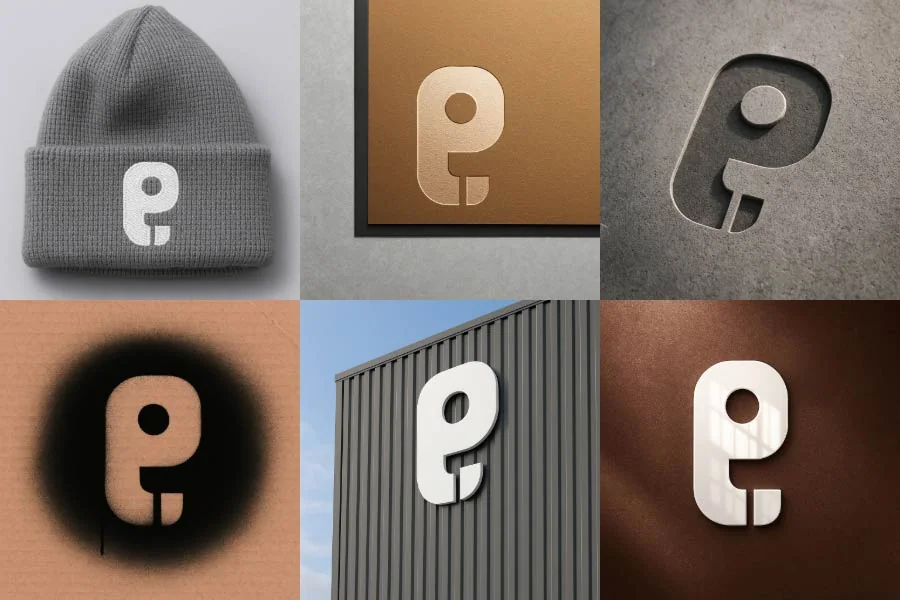
3. The 6 logo mockup styles I created
Here are the six unique mockup styles I experimented with:
- Embroidery Beanie – Perfect for fashion and streetwear brands.
- Gold Finish Paper – Gives your brand a high-end, luxurious look.
- Office Wall – Ideal for corporate presentations and interior mockups.
- Spray Paint – Adds an edgy, street-style vibe to your branding.
- Pressed Concrete – Clean, industrial, and minimal.
- Reflection Glass – Sleek, techy, and modern.
For each of these, I just used a PNG of my logo in white & black (white shape on black BG).
I simply found a few images on the internet and uploaded them as style reference images to guide ChatGPT’s rendering.
Then in the prompt I asked ChatGPT to use the white logo and ignore the black area (make it transparent).
It followed the contours of the logo precisely and created a high-quality, realistic mockup.
4. Step-by-step: How to prompt ChatGPT 4o
First, decide which mockup style you want to recreate (find images for inspiration).
Then, upload a reference photo that represents your desired mockup scene.
Next, upload your logo as a white-on-black PNG file.
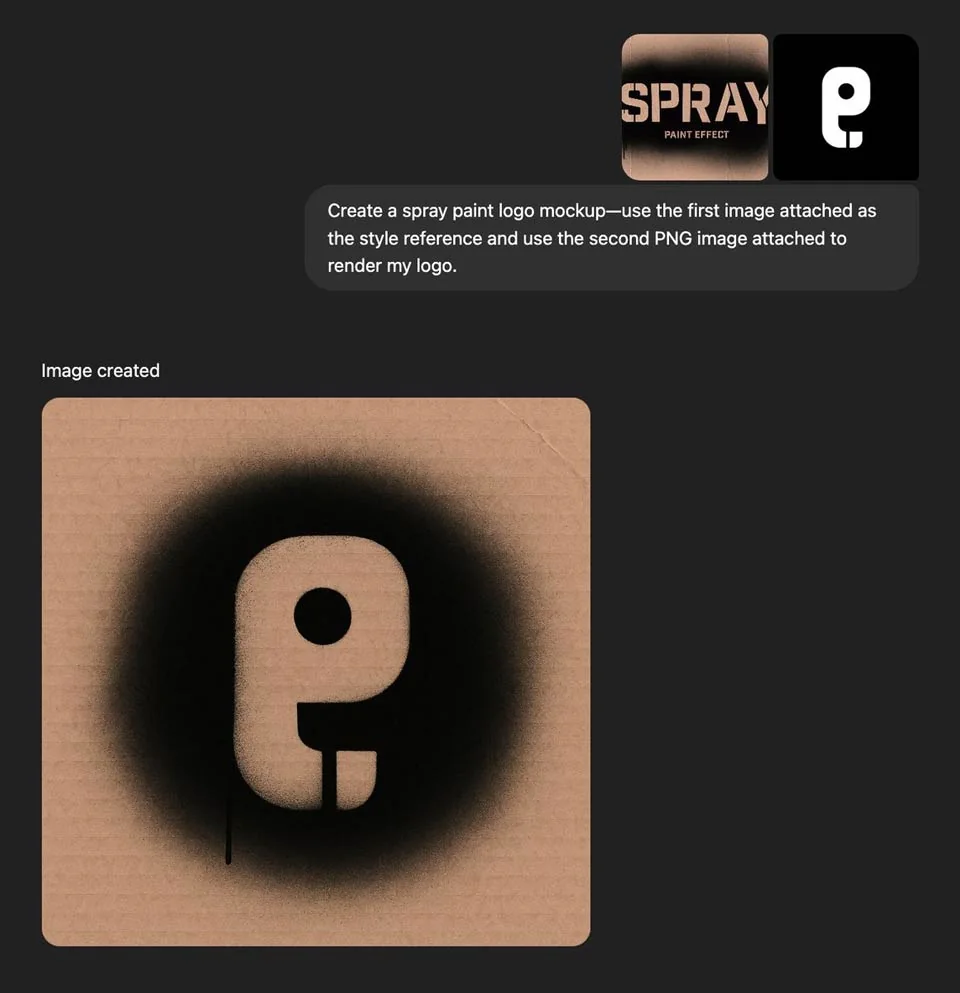
Remember to use a clear and specific prompt like this:
Create a [mockup style] logo mockup using the first image as a style reference and the second image to render my logo. The white shape is my actual logo. The black area is the transparent background. Follow my logo's shape exactly.
You can also improve realism by adding:
Please add a natural camera angle or slight perspective. Make sure the lighting and shadows look realistic. Ensure the logo blends into the environment convincingly.
Then simply let ChatGPT process your request and generate the mockup (will may take up to a minute).
Remember that if needed, you can fine-tune your prompt or try different variations, follow up and fix it until you're happy with the results.
5. Pro tips for better mockups
Use high-resolution and high-quality reference images to get the best results.
Make sure your logo PNG is clean and sharp.
For best contrast, use white logos on a black BG.
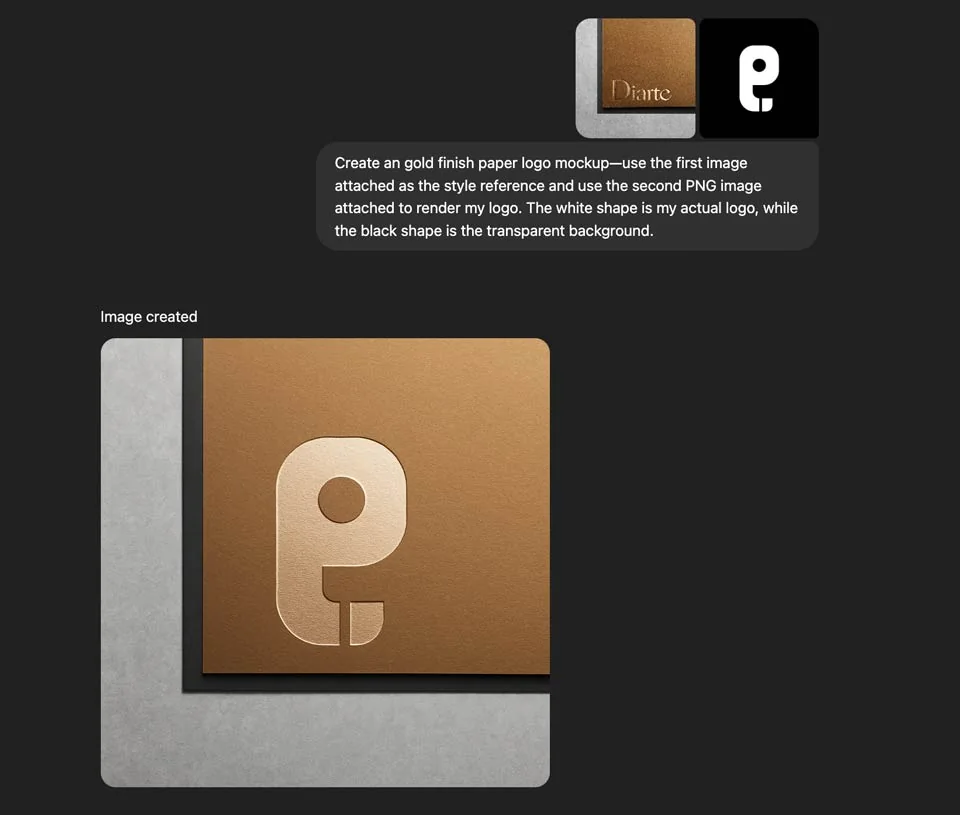
Write simple, direct prompts and be specific about the look you're going for.
You can also request multiple versions to compare different lighting or angle treatments.
Don't hesitate to stack instructions like "add a reflection" or "shift the camera angle."
If needed, describe the mood or setting: "daylight in an office," "dark urban wall," or "brushed metallic finish."
6. Benefits of using ChatGPT 4o
There’s no need to purchase or download mockup files (which can be costly).
You don’t need to install any design software or learn new tools.
By using ChatGPT's new 4o image generation—you can prepare branding presentations in just seconds.
Moreover, you maintain full control over your creations and you can experiment and iterate fast.
It’s definitely significantly faster than digging through mockup libraries and tweaking them manually.
That's why I believe that this solution is directly challenging stock marketplaces.
7. Final thoughts
Mockup creation used to feel like a tedious part of the design process.
Thanks to ChatGPT 4o, creating logo presentation is now quick, efficient, and even fun.
You can go from concept to polished presentation in just minutes.
There's no more need for Photoshop or expensive mockup packs.
Just upload your logo, add a reference image, and write a prompt.
The AI handles the rest and gives you a realistic mockup.
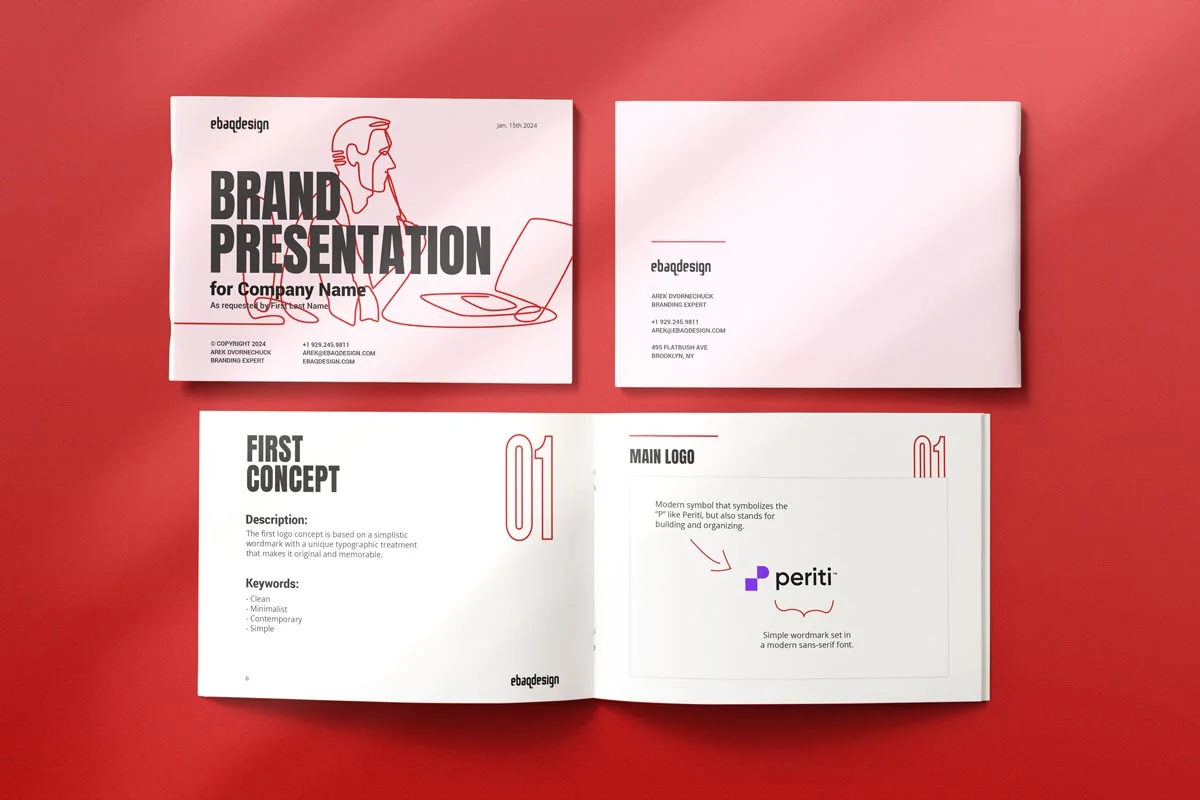
PS. Also check out my digital product—Logo Presentation Template. which is a part of my Creative Suite bundle.
Anyways, try this method with your own branding assets and see what beautiful presentations you can create.
The new ChatGPT 4o image generation feature has earned a permanent place in my creative workflow.
Now I'm able to surprise and delight my clients with custom-branded visuals that would otherwise take me hours to create.
Ready to build a brand people remember?
Tell me what you’re launching, changing, or trying to make look better.