
Brand Strategy
Best Website Builders for Design Portfolios in 2026
Published on Feb 1, 2026
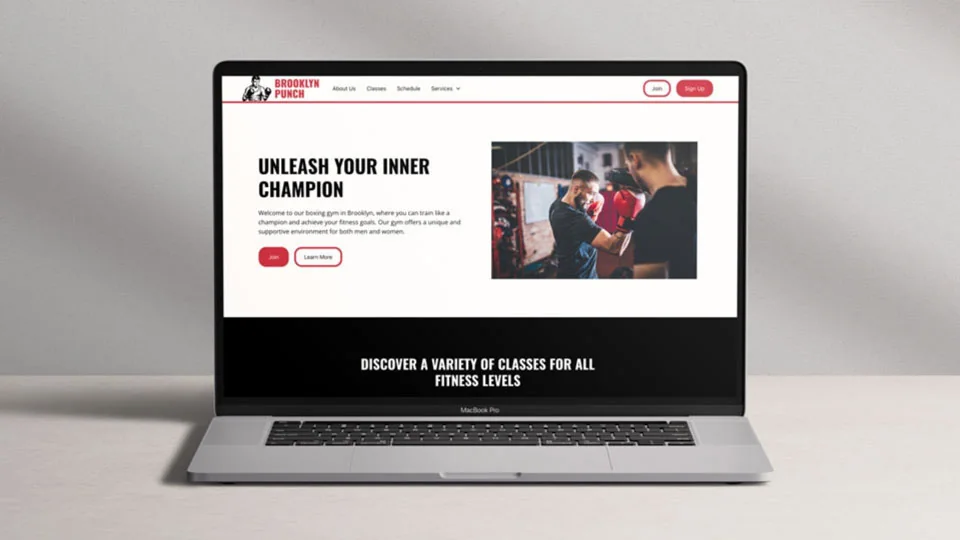
Your portfolio website is the single most important marketing tool you have as a designer. It is the first thing potential clients see, and it needs to showcase your work beautifully while being easy to maintain. In 2026, the options for building a design portfolio are better than ever, but choosing the right platform matters.
We tested and compared the 7 best website builders specifically for designers and creatives. Here is what you need to know before picking one.
1. Webflow — Best Overall for Designers
Webflow is the gold standard for designers who want complete creative control over their portfolio. Unlike template-based builders, Webflow gives you a visual canvas that translates directly to clean, production-ready code.
Key features:
- Visual design canvas with full CSS control
- CMS for case studies and blog posts
- Built-in hosting with global CDN
- Interactions and animations without code
- Custom domains with free SSL
Pricing: Free plan available. Site plans from $14/month.
Best for: Designers who want pixel-perfect control and plan to grow their site with a no-code approach.
2. Framer — Best for Fast, Modern Portfolios
Framer has evolved from a prototyping tool into one of the sleekest website builders available. Its component-based approach and gorgeous templates make it ideal for designers who want a polished portfolio fast.
Key features:
- Stunning pre-built templates designed for creatives
- Component-based design system
- Smooth scroll animations built in
- Fast page load speeds
- AI-powered site generation
Pricing: Free plan. Mini plan at $5/month. Basic at $15/month.
Best for: Designers who want a beautiful portfolio live quickly. Check out our best Framer templates for inspiration.
3. Squarespace — Best for Photography Portfolios
Squarespace remains the go-to choice for photographers and visual artists. Its templates are designed specifically for showcasing visual work with stunning gallery layouts and clean typography.
Key features:
- Beautiful gallery and portfolio templates
- Built-in e-commerce for selling prints
- Scheduling and booking integrations
- Strong SEO tools out of the box
- 24/7 customer support
Pricing: Plans start at $16/month (billed annually).
Best for: Photographers and illustrators who prioritize visual presentation over custom design control.
4. Figma Sites — Best for Figma-First Designers
If you already design everything in Figma, the new Figma Sites feature lets you publish designs directly as live websites. This eliminates the design-to-development gap entirely.
Key features:
- Publish Figma frames as live web pages
- Responsive design controls
- No context switching from your design tool
- Component-based structure
- Collaborative design and editing
Pricing: Included with Figma Professional plan ($15/editor/month).
Best for: Designers already deep in the Figma ecosystem who want a seamless design-to-publish workflow.
5. Wix Studio — Best for Client Portfolio Sites
Wix Studio (formerly Wix Editor X) is built specifically for designers and agencies who create websites for clients. Its responsive design tools and client management features set it apart.
Key features:
- Responsive AI adapts designs across breakpoints
- Client billing and management dashboard
- Custom code integration when needed
- App marketplace for extended functionality
- White-label options for agencies
Pricing: Free to design. Premium plans from $17/month per site.
Best for: Freelance designers who build portfolio sites for themselves and client websites on the same platform.
6. WordPress + Bluehost — Best for SEO-Focused Portfolios
For designers who want maximum SEO power and blogging capabilities alongside their portfolio, WordPress remains unmatched. Paired with Bluehost for hosting, it is the most flexible option available.
Key features:
- Thousands of portfolio themes available
- Unmatched SEO plugin ecosystem (Yoast, Rank Math)
- Complete content ownership
- WooCommerce for selling design products
- Unlimited customization with page builders
Pricing: Bluehost hosting from $2.95/month. WordPress is free.
Best for: Designers who plan to grow through content marketing and SEO alongside their portfolio work.
7. GoDaddy Website Builder — Best for Quick Setup
GoDaddy offers the fastest path from zero to a live portfolio. Its AI-powered builder creates a working site in minutes, which you can then customize.
Key features:
- AI builds your site from a few prompts
- Built-in marketing tools (email, social)
- Domain + hosting bundled together
- Simple editing interface
- Affordable all-in-one pricing
Pricing: Plans start at $9.99/month with a free domain.
Best for: New designers who need a portfolio online today and want the simplest possible setup.
How to Choose the Right Platform
Here is a quick decision framework:
- Want full creative control? Go with Webflow
- Need it live this week? Use Framer with a template
- Primarily showing photos? Squarespace has the best galleries
- Already in Figma? Try Figma Sites
- Building client sites too? Wix Studio handles both
- Want maximum SEO? WordPress + Bluehost
- Just need something fast and simple? GoDaddy
No matter which platform you choose, make sure your portfolio tells a story about your brand strategy process, not just the final deliverables. Clients want to see how you think, not just what you make.
Final Thoughts
The best website builder for your design portfolio is the one you will actually maintain. Pick a platform that fits your skill level and update frequency, then invest your energy into showcasing your best case studies rather than fighting with technology.
Need help with the branding side? Start with our free brand strategy template to build a solid foundation before designing your portfolio.
Want a custom Framer website?
I design websites in Figma and build them in Framer, with motion and a CMS your team can edit. Design takes about a week at $3,000; the build adds one or two.